Pass and Play on Chess.com and Lichess (Phone and PC)
A friend is sitting next to you and you want a quick game of chess on one device. Both of the big chess sites can do that, but only in their phone apps, and the option is not called "pass and play" in either of them. Here is where to find it, what to do on a computer, and a simpler option that works anywhere.
Short answer: in the Chess.com app, tap Play → More → Play in Person. In the Lichess app, use the Over the board mode. Neither website has a pass and play mode, so on a PC use a workaround or a browser board made for two players on one device, such as the free pass and play chess board on this site.
Chess.com: "Play in Person" in the app
Chess.com renamed its pass and play mode to Play in Person. According to the Chess.com help centre, older app versions (before 4.8.0 on Android and 4.8.14 on iOS) still show the old name, "Pass & Play".
- Open the Chess.com app and tap Play at the bottom of the home screen.
- Tap More, then Play in Person.
- Choose your settings: player names and colours, the game type (Standard, Chess960 or a custom starting position), a time control or none, and whether the board turns after each move (Auto Flip).
- Tap Start (iOS) or Play (Android) and hand the phone over after each move.
Chess.com on a PC or in a browser
The Chess.com website has no Play in Person mode. Chess.com forum answers suggest two workarounds:
- The analysis board (chess.com/analysis): it only lets you make legal moves, and you can switch the engine off. There is no game clock, and nothing marks whose turn it is beyond the position itself.
- A challenge link opened twice: create a link to play a friend, then open it in a different browser so the second player is a separate player, and switch windows each move. It works, but you are juggling two windows on one screen.
Lichess: "Over the board" in the app
The Lichess mobile app has an Over the board mode for two players on one device. Older versions listed it in the side menu as "Play offline, over the board". The app is free, like the rest of Lichess.
Lichess on a PC or in a browser
As on Chess.com, the website has no dedicated same-device mode. Lichess forum answers point to the same kind of workarounds:
- The analysis board (lichess.org/analysis): legal moves only, no clock.
- "Play with a friend": create the game, open the link in a second window (a private window works, because Lichess lets you play without an account), and switch between the windows.
Which one to use
| Where | Same-device mode | What you need |
|---|---|---|
| Chess.com app | Play in Person (formerly Pass & Play) | The app on a phone or tablet |
| Chess.com website | None; analysis board or two windows | A browser |
| Lichess app | Over the board | The app on a phone or tablet |
| Lichess website | None; analysis board or two windows | A browser |
| A pass and play browser board | Built for it, on any device | A browser, no account |
A simpler option: a pass and play board in the browser
If you only want to play the person next to you, a board made for one device saves the workarounds. This site's board runs in any browser on a phone, tablet, PC or Mac:
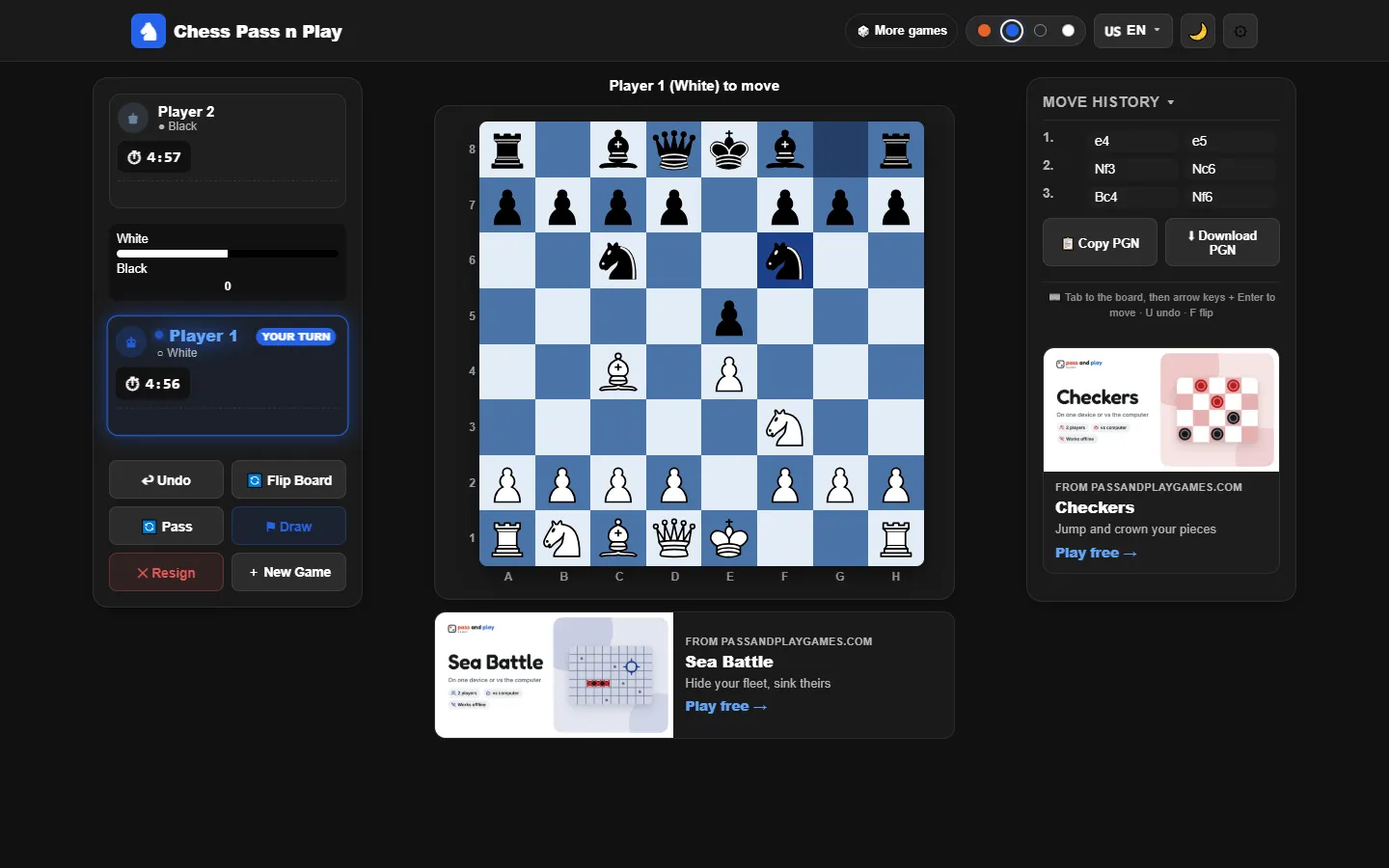
- Three board modes: Pass & flip for one phone, Table mode for a tablet lying flat between you, and Fixed for sitting side by side at a PC.
- A chess timer: 1, 3, 5 or 10 minutes each, with an optional increment.
- Move hints, undo and PGN export, so you can review the game later in Chess.com or Lichess.
- No account or download, and it works offline after the first visit.
More on taking turns, board modes and house rules: how to play pass and play chess.
Questions
Does Chess.com have pass and play on PC?
No. Play in Person (formerly Pass & Play) is only in the Chess.com mobile app. On a PC, use the analysis board, a challenge link opened in a second browser, or a browser board built for two players on one device.
Does Lichess have pass and play?
Yes, in the Lichess mobile app, where it is called Over the board. The Lichess website has no same-device mode.
Can I import the game into Chess.com or Lichess afterwards?
Yes. When a game ends on this board, copy or download it as PGN and paste it into the analysis board on either site.
Play the person next to you: free, no sign-up, set up in seconds.
♟ Play pass and play chess